Help Centre › Getting started › Set up subjects and classes
Set up subjects and classes
A class is one subject, for one grade, on one weekday and time, with one monthly fee. For example: Gr 9 Mathematics, Saturday 8:00–10:00 AM, Hall A, Rs 2,200 a month.
For owners1 min readUpdated 17 Nov 2026
Add a class
- Open Classes and tap New class.
- Subject: pick it from the list, or type a new name and tap + Add new subject.
- Medium: Sinhala, English or Tamil.
- Grade: for example 9 or 12. Every class needs a grade.
- Title: type the name everyone will see, for example "Gr 9 Mathematics" or "Grade 12 Combined Maths – 2027 A/L Theory".
- Weekday, Start time and End time.
- Hall (optional), for example "Hall A".
- Monthly fee in rupees. Use 0 for a free class.
- Teachers: pick one or more. Teachers who teach this subject are listed first. With two or more, tap the star on a name to make that teacher the primary teacher.
- Tap Create class.
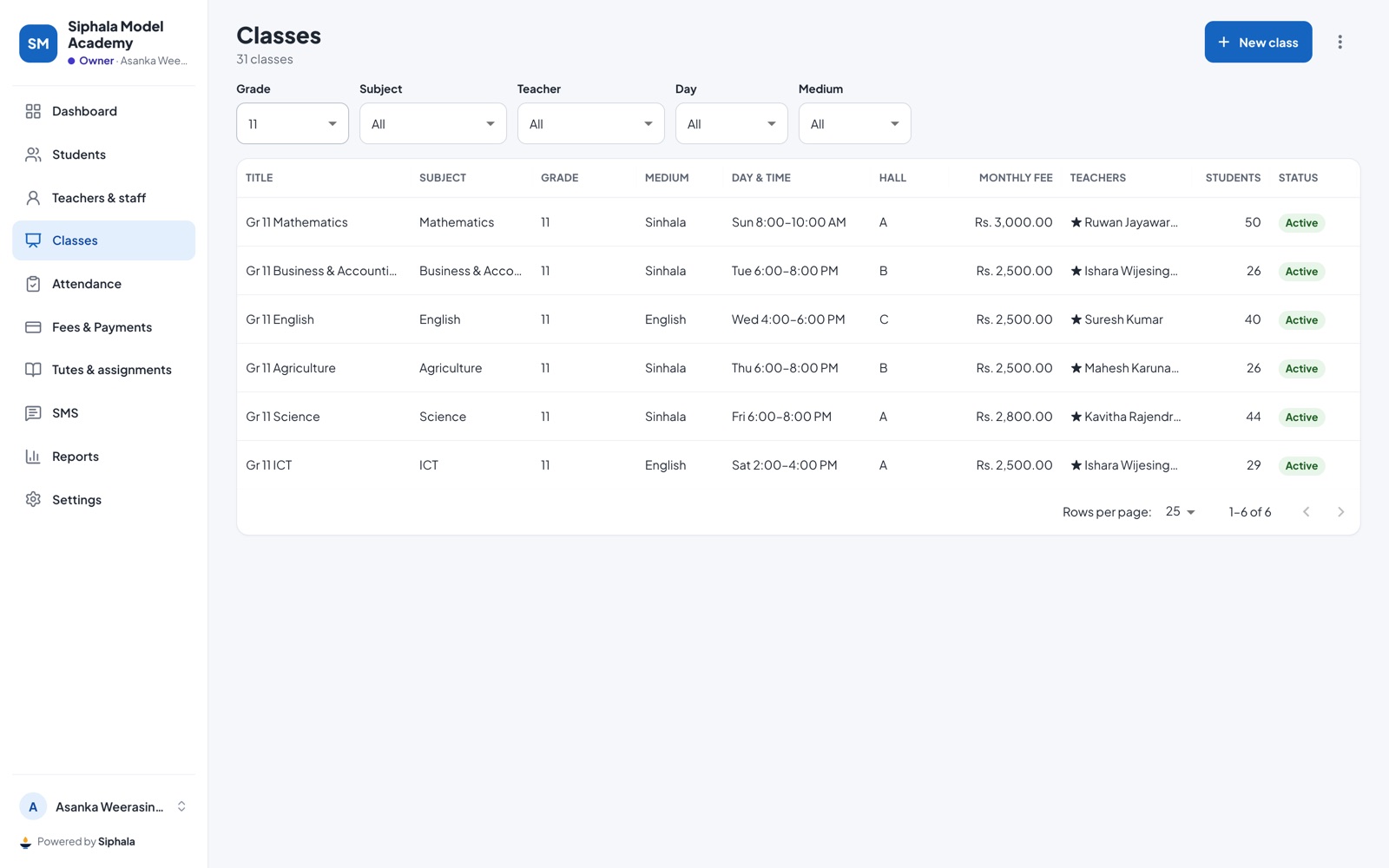
Find a class
Use the filters at the top of Classes: Grade, Subject, Teacher, Day and Medium.
Good to know
- Fees: every student enrolled in the class gets the monthly fee on the 1st of each month. When you add a student you can give them a discount or a free card for each class.
- Changing the fee: open the class, change the fee and tap Save. Siphala asks you to confirm: the new fee applies to fees added from then on, not to ones already added.
- A class that has stopped: edit it and switch off Class is active. Its history stays.
- Extra classes for revision are added by the teacher from their home screen with Extra session, not as new classes.
Was this helpful?