Help Centre › Running your institute › Record a payment and give a receipt
Record a payment and give a receipt
Every payment gets a numbered receipt, and the student's locked tutes for that month open straight away.
For owners and teachers2 min readUpdated 17 Nov 2026
Steps
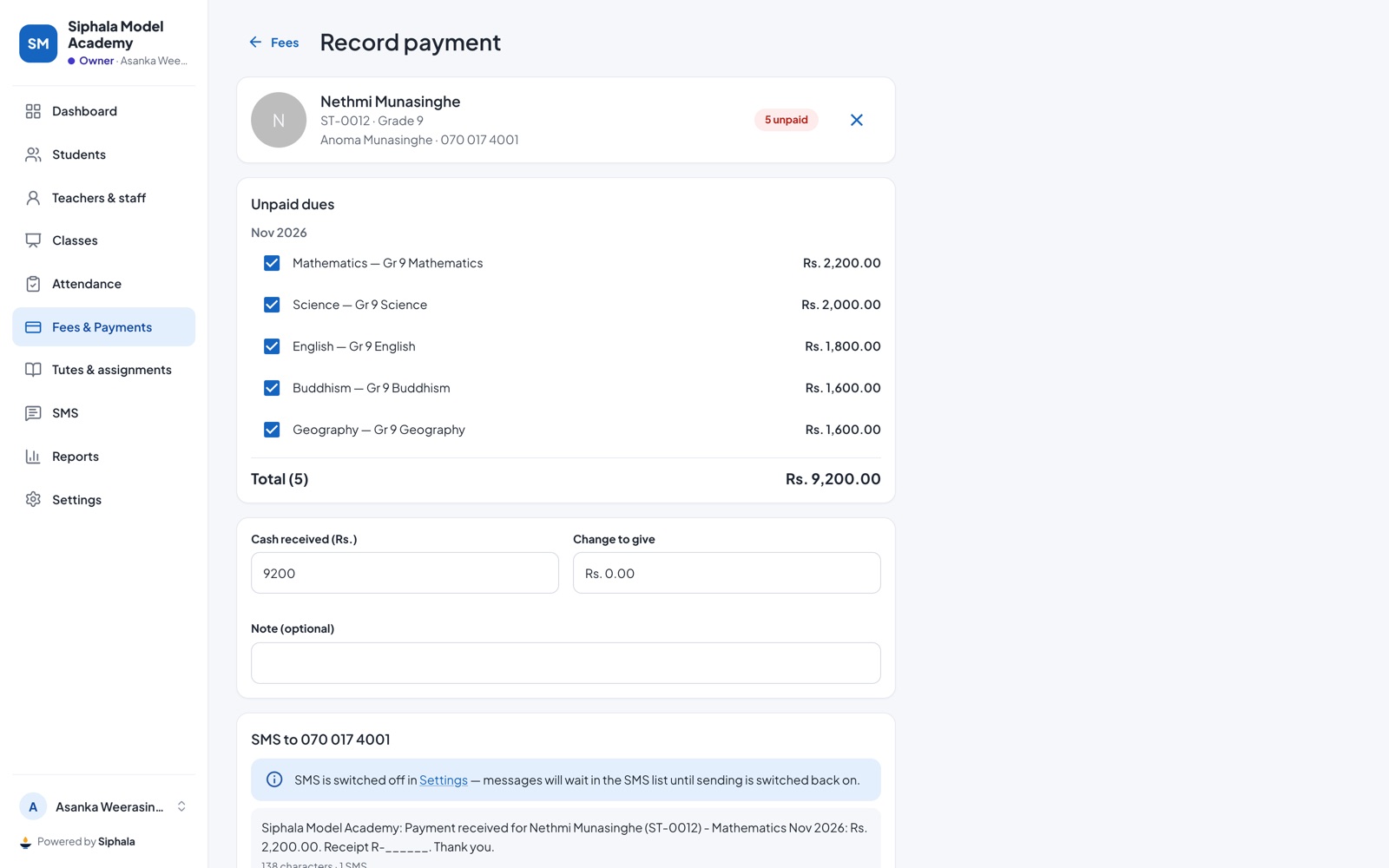
- Tap Record payment on the home screen or in Fees & Payments, or Collect next to a student in a list.
- Find the student by name, ST number or parent's mobile, or tap Scan QR and scan their ID card.
- Siphala lists every unpaid due for that student, across all their classes. Tick the ones they're paying.
- Check Cash received (Rs.). Siphala shows the Change to give.
- Add a Note (optional) if you need one.
- Tap Confirm & print receipt.
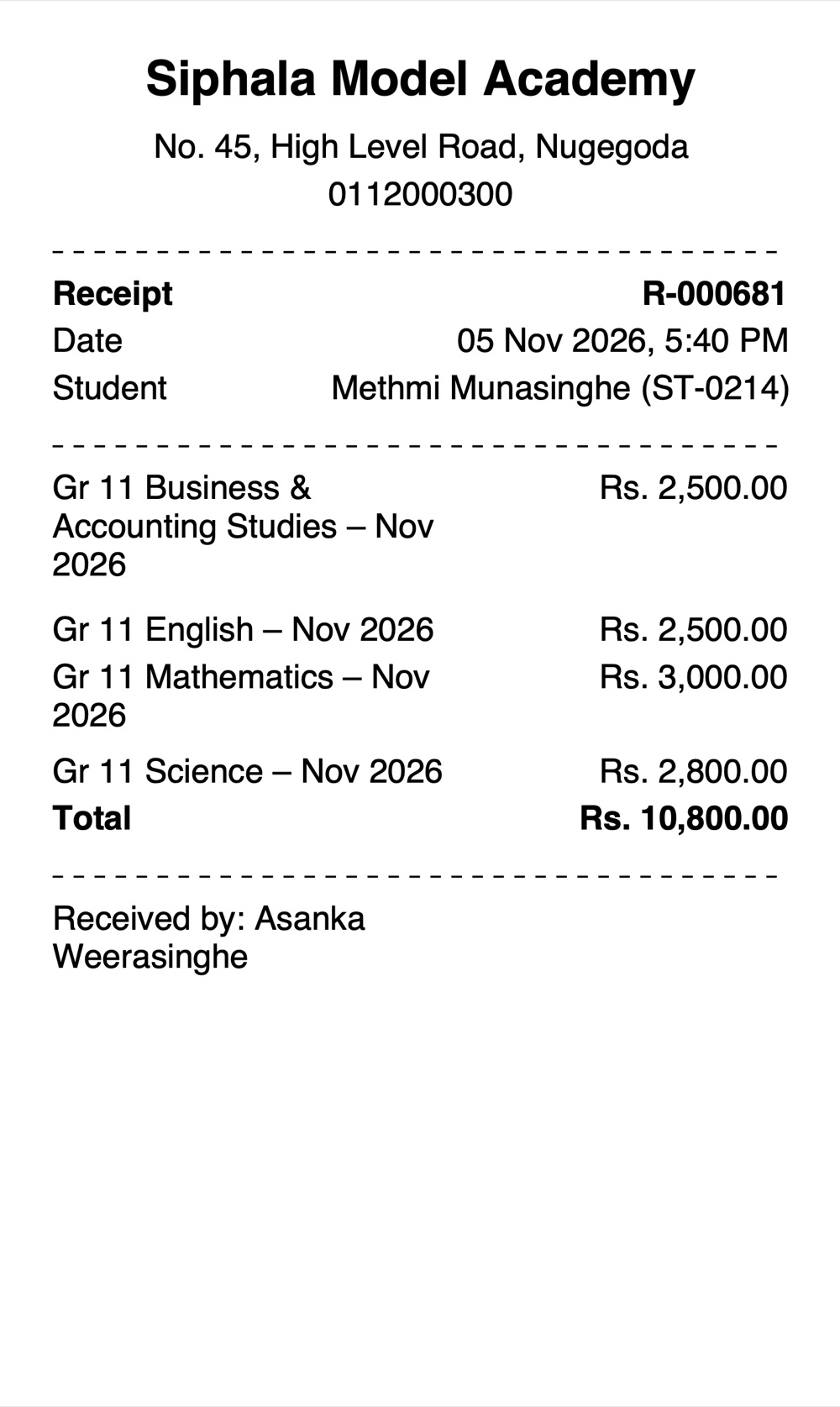
The receipt
- The receipt gets the next number, for example R-000318. The letters before the number are set in Settings → Rules.
- Choose the paper (80mm thermal or A5), then tap Print or Download PDF. Parents also see every receipt on their phone.
- If SMS is switched on, the parent also gets a payment SMS.
Made a mistake? Void the receipt
Receipts are never deleted, so your books always add up. Only the owner can void a receipt.
- Open Fees & Payments → Payments and tap the payment.
- Under the receipt, tap Void.
- Type a reason and tap Void payment.
The receipt is marked VOID with the reason, and the dues it paid become unpaid again. Then record the payment again correctly.
Teachers taking payments
Teachers can take cash for their own classes only if the owner switches on Allow teachers to record cash payments (only for their own classes) in Settings → Rules. They then see Payments in their menu. Teachers can't void receipts.
Good to know
- Paying several months or classes at once is fine: tick them all in step 3.
- Tutes open as soon as you save, if your institute locks tutes until the month is paid.
Was this helpful?